Ottantaseiesima guida operativa Odoo 19 per PMI italiane. Tredicesima della serie di 15 guide su Odoo CRM. I venditori non passano otto ore al giorno alla scrivania: visite ai clienti, fiere, trasferte. Per chi vende sul campo il CRM su smartphone non è un optional ma uno strumento di lavoro. Senza, le informazioni finiscono su foglietti e vengono ricopiate la sera, con errori e ritardi. Con Odoo CRM su dispositivo mobile si registrano subito attività, foto e messaggi vocali, e i dati arrivano in tempo reale all’ufficio. In questa guida vediamo come usare al meglio Odoo CRM in mobilità.
Vediamo: l’app mobile di Odoo e le sue funzionalità, configurazione e uso con connessione limitata, casi d’uso per la vendita sul campo, note vocali e foto, integrazione con telefono e calendario, accorgimenti pratici ed esempi illustrativi.
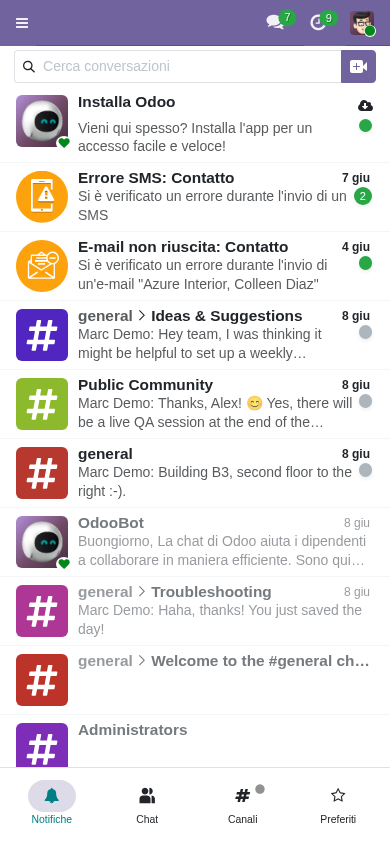
L’app mobile di Odoo in sintesi
Disponibilità
- App ufficiale su App Store (iOS)
- App ufficiale su Google Play (Android)
- Download gratuito
- L’app nativa è pensata per Odoo Enterprise e Odoo Online; con Odoo Community si usa il browser dello smartphone o l’installazione come app web progressiva (PWA)
- Possibilità di collegarsi a più database Odoo
Funzionalità principali
- Consultazione e modifica della pipeline
- Dettaglio e aggiornamento delle opportunità
- Gestione delle attività
- Invio e ricezione email dal chatter
- Allegati di documenti
- Acquisizione di foto
- Messaggi vocali nel chatter
- Consultazione limitata senza connessione
- Notifiche push
Esperienza su computer e su smartphone
L’interfaccia di Odoo si adatta allo schermo: lo stesso CRM funziona dal computer allo smartphone, con impaginazione adattiva, funzioni invariate e comandi ottimizzati per il tocco. Il venditore passa da un dispositivo all’altro senza interruzioni:
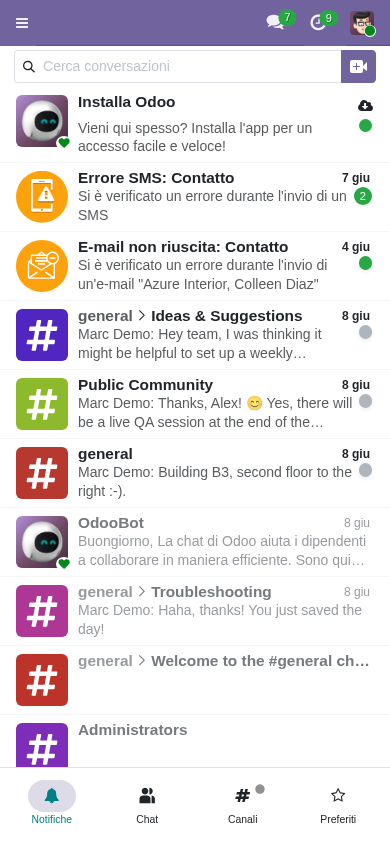
- Computer: pipeline kanban a tutta larghezza
- Più colonne visibili insieme
- Trascinamento delle schede semplice
- Dettagli al passaggio del mouse
- Lavoro su più schede del browser
- Ideale per preparare gli incontri
La pipeline kanban su smartphone
Sullo smartphone la pipeline mantiene le stesse fasi: si scorre lateralmente tra le colonne e si tocca una scheda per aprirla. Le opportunità si spostano di fase con pochi tocchi, e contatori e ricavi attesi restano visibili. Il venditore ha la pipeline sempre con sé:
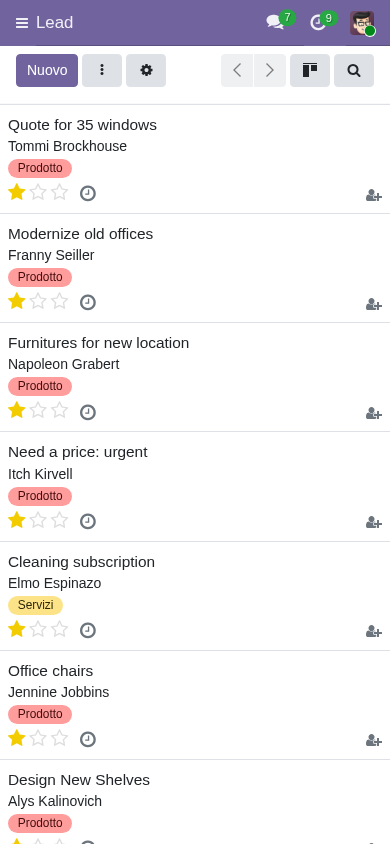
- Scorrimento verticale ottimizzato
- Una colonna alla volta
- Scorrimento laterale tra le fasi
- Tocco per aprire l’opportunità
- Menu di azioni rapide
- Filtri comodi anche da smartphone
Dettaglio dell’opportunità su smartphone
Toccando un’opportunità si apre la scheda completa: tutti i campi, le attività e il chatter (lo storico di messaggi e note). In alto le azioni rapide: chiamata, email, pianificazione di un incontro. È pensata per inserire dati velocemente sul campo:
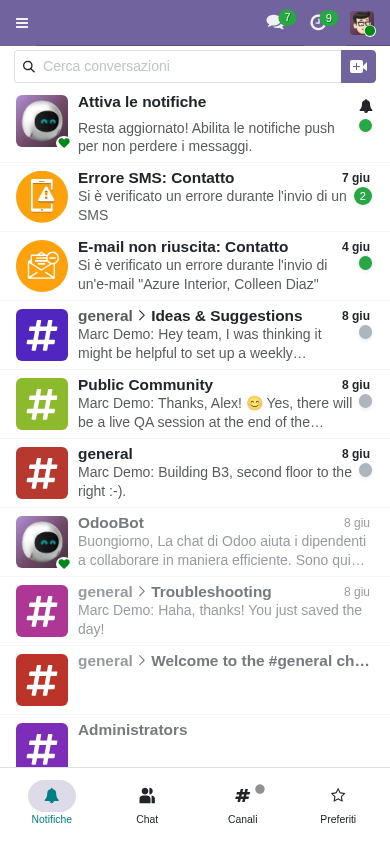
- Tutti i dati dell’opportunità accessibili
- Campi ottimizzati per il tocco
- Dettatura vocale delle note tramite la tastiera del telefono
- Foto come documentazione
- Azioni rapide: chiamata, email, incontro
- Accesso completo al chatter
- Allegati direttamente dal telefono
Il tablet: il meglio dei due mondi
Il tablet unisce portabilità e spazio sullo schermo ed è ideale durante gli incontri con i clienti. L’impaginazione è a metà tra computer e smartphone, comoda per presentare e prendere appunti allo stesso tempo:
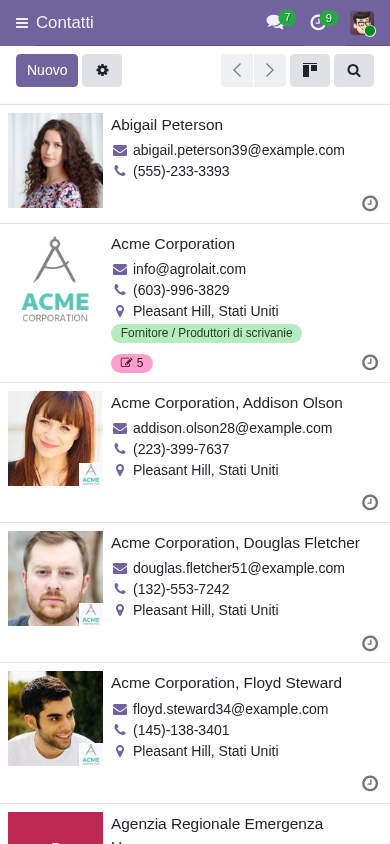
- Più colonne visibili
- Uso misto con tocco e tastiera
- Penna digitale facoltativa
- Comodo per presentare al cliente
- Appunti in tempo reale
- Schermo diviso per lavorare su due app
Una giornata tipica di vendita sul campo
Al mattino la visita al cliente: prima di entrare si rivede l’opportunità aperta, durante l’incontro si prendono appunti e si fotografa il prodotto o l’impianto del cliente, prima di andare via si pianifica il passo successivo. Tutto dallo smartphone:
- Prima dell’incontro: revisione dei dati dell’opportunità (a veicolo fermo)
- Durante: note vocali e foto
- Dopo: aggiornamento dell’attività e pianificazione del ricontatto
- Rientro in ufficio senza dati arretrati da inserire
- Il responsabile ha visibilità in tempo reale
- Meno tempo perso in attività amministrative
Casi d’uso per la vendita sul campo
Visita al cliente
- Prima della visita: storico e opportunità aperte
- Registrazione della presenza con geolocalizzazione (disponibile in altre app, come Presenze o Field Service, non nel CRM standard)
- Appunti durante l’incontro
- Foto di problemi o installazioni
- Pianificazione immediata dei passi successivi
Fiere
- Raccolta dei contatti dai biglietti da visita
- Foto del biglietto allegata al nuovo contatto; la lettura automatica (OCR) richiede servizi aggiuntivi o app di terze parti
- Nota vocale sul potenziale cliente
- Ricontatto pianificato prima di dimenticarsene
Dimostrazione presso il cliente
- Dimostrazione nella sede del cliente
- Tablet per la presentazione
- Note sul livello di interesse
- Raccolta di domande e risposte
- Preventivo preparato sul posto
Sopralluogo o visita tecnica
- Foto del luogo e delle attrezzature
- Annotazione delle misure
- Specifiche tecniche
- Modifica del preventivo in loco
Note vocali e foto
Note vocali
- Nel chatter si può registrare un messaggio vocale e allegarlo al record
- In alternativa, dettatura con il microfono della tastiera del telefono
- Correzione del testo dettato, se serve
- Salvataggio come nota o attività
- Il testo dettato resta ricercabile
Foto
- Allegato dal record con accesso alla fotocamera
- Caricamento e collegamento immediati
- Documentazione della situazione presso il cliente
- Foto della lavagna dopo una riunione
- Foto dei biglietti da visita
Registrazioni audio (uso limitato)
- Registrazione delle chiamate solo con consenso
- Registrazione degli incontri facoltativa
- Archiviazione ed eventuale trascrizione
- Valutare sempre gli aspetti GDPR
Integrazione con telefono e calendario
Telefono
- Tocco sul numero per chiamare con il telefono
- Registro chiamate automatico con il modulo VoIP (Enterprise) o un centralino integrato
- Annotazione rapida dopo la chiamata
- Salvataggio del numero nel contatto
Calendario
- Sincronizzazione con Google Calendar o Outlook
- Aggiornamenti in entrambe le direzioni
- Inviti generati da Odoo
- Promemoria
- Invio da modelli anche da smartphone
- Personalizzazione rapida
- Allegati dal dispositivo
- Invio programmato
Uso con connessione limitata
Cosa si può fare
- Nelle versioni recenti, consultazione in sola lettura delle pagine già visitate
- La modifica dei dati del CRM richiede la connessione
- Note vocali e foto si possono registrare con il telefono e caricare appena torna il segnale
- Alcune app, come il Punto Vendita (POS), gestiscono meglio il lavoro senza rete
Come organizzarsi
- Aprire prima della trasferta le opportunità che serviranno
- Annotare offline nelle app del telefono e riportare subito al ritorno del segnale
- Evitare di aggiornare lo stesso record da più dispositivi insieme
- Lo storico delle modifiche resta tracciato nel chatter
Consumo di batteria e dati
- Preferire il Wi-Fi per caricamenti pesanti
- Ridurre la risoluzione delle foto quando non serve il dettaglio
- Chiudere le schede non necessarie
- Limitare le notifiche superflue
Notifiche push
Promemoria delle attività
- Avviso delle attività in scadenza
- Rinvio rapido
- Completamento rapido
- Ripianificazione con un tocco
Avvisi sui contatti
- Nuovo contatto prioritario
- Assegnazione a me
- Risposta di un cliente
- Menzione da parte del responsabile
Configurazione
- Attivazione o disattivazione per tipo di notifica
- Fasce orarie di silenzio dalle impostazioni del telefono
- Scelta dei canali di comunicazione da seguire
- Impostazioni di riservatezza
Accorgimenti pratici in mobilità
Usare la voce
- Note dettate
- Email dettate
- Commenti rapidi
- Mai usare lo smartphone alla guida: dettare solo a veicolo fermo o con comandi a mani libere consentiti
Azioni rapide
- Filtri preferiti salvati
- Pulsanti delle azioni frequenti
- Azioni comuni con un tocco
- Modelli di email a portata di mano
Preparazione dell’incontro
- Revisione dell’opportunità prima di partire
- Cinque minuti prima: rilettura delle note
- Apertura delle email recenti
- Controllo dell’ultima attività
Aggiornamento dopo l’incontro
- Due o tre minuti di aggiornamento immediato
- Note vocali con i punti chiave
- Pianificazione dei passi successivi
- Non aspettare il rientro in ufficio
Errori comuni nell’uso in mobilità
“Solo dal computer”
Problema: il venditore usa solo il computer e perde informazioni raccolte sul campo.
Soluzione: formazione sull’uso da smartphone e verifica periodica dell’adozione.
“Troppe notifiche”
Problema: le notifiche sono così tante che vengono tutte ignorate.
Soluzione: configurarle con cura e impostare fasce di silenzio.
“Nessuna preparazione per le zone senza rete”
Problema: il venditore resta senza dati quando manca il segnale.
Soluzione: aprire prima le schede necessarie e sapere cosa è disponibile senza connessione.
“Note dettate mal trascritte”
Problema: errori di dettatura rendono le note inutilizzabili.
Soluzione: pratica e correzione manuale delle parti importanti.
“Foto rimaste nella galleria”
Problema: le foto restano nel telefono e non arrivano nel CRM.
Soluzione: scattarle o allegarle direttamente dal record di Odoo.
Esempi illustrativi
Esempio 1 — Manifattura: agenti sul territorio
- Rete di agenti distribuita in tutta Italia
- Flusso di lavoro pensato prima di tutto per lo smartphone
- Aggiornamento dei dati subito dopo ogni visita
- Meno inserimenti arretrati e informazioni più fresche per l’ufficio
Esempio 2 — Servizi: visite ai clienti
- Visite di tecnici prevendita
- Tablet per le dimostrazioni
- Preventivo preparato sul posto
- Tempi di risposta al cliente più brevi
Esempio 3 — Software: contatti raccolti in fiera
- Raccolta dei contatti allo stand
- Foto dei biglietti da visita
- Nota vocale su ogni potenziale cliente
- Ricontatti più rapidi dopo l’evento
Esempio 4 — Distribuzione: giro visite
- Numerose visite al giorno per venditore
- Lavoro quasi interamente da smartphone
- Foto delle scorte presso il cliente
- Raccolta diretta degli ordini
Domande frequenti
L’app è gratuita o a pagamento?
Il download è gratuito. Per usarla serve un utente Odoo con licenza, lo stesso dell’accesso da computer: non ci sono costi aggiuntivi per l’uso da smartphone.
Si può lavorare senza connessione?
Solo in modo limitato: nelle versioni recenti si possono consultare in sola lettura le pagine già visitate, ma per modificare i dati del CRM serve la connessione. Prima di una trasferta conviene aprire le schede che serviranno.
La dettatura funziona in italiano?
Sì: la dettatura è quella del sistema operativo (iOS o Android) e supporta l’italiano. La qualità dipende da rumore ambientale e pronuncia, quindi le parti importanti vanno ricontrollate.
Il cliente può firmare un preventivo da smartphone?
Sì: con la firma e il pagamento online dei preventivi di Odoo Vendite il cliente firma direttamente dal link ricevuto. Per documenti diversi dai preventivi c’è l’app Sign (Enterprise).
Le foto vengono compresse?
Dipende dal dispositivo e dalle impostazioni della fotocamera. Per foto di documentazione dettagliata conviene mantenere una buona risoluzione, tenendo conto dello spazio di archiviazione.
Prossimi passi
Nella prossima guida (14/15 della serie CRM) vedremo la vista cliente a 360°: visione unificata del cliente, storico completo, documenti collegati e vendita per account.
Vuoi portare il CRM sul campo nella tua PMI?
I consulenti certificati Odoo di BrentaSoft aiutano le PMI italiane a usare Odoo CRM in mobilità: configurazione dell’app, formazione per chi vende sul campo, integrazione con calendario e telefono, flussi per note vocali e foto.
Prenota una call conoscitiva oppure prova la nostra demo Odoo 19 online. Oppure prova Odoo direttamente su odoo.com (link referral di BrentaSoft).
Vuoi una soluzione su misura per la tua azienda?
Brentasoft sviluppa gestionali, CRM e software personalizzati per PMI italiane. Parliamo del tuo progetto.