Ottantasettesima guida operativa Odoo 19 per PMI italiane. Quattordicesima della serie 15 guide CRM Odoo. “Chi è questo cliente?” è la prima domanda di ogni interaction. Senza customer 360 = ognuno ha proprio fragment di info, customer ripete sé stesso 5 volte, sales perde context. Customer 360 = unified view che aggrega tutto: storia comunicazione, ordini passati, fatture, ticket support, contratti, contatti. Cliente “visto” come unicum, non come transazione. In questa guida vediamo come usare Customer 360 view in Odoo CRM.
Vediamo: cosa è customer 360, vista contatti aggregata, customer detail completo, history communication, related records (orders/invoices/tickets), account-based selling, casi pratici PMI italiane.
Cosa è Customer 360
Definizione
- Unified view del customer cross-departments
- Sales + Service + Finance + Marketing data
- Single source of truth per customer info
- Real-time aggregate
Beneficio business
- No friction per customer (no repeat info)
- Up/cross-sell opportunity identified
- Service experience consistent
- Account expansion strategic
- Churn prevention
Componenti
- Anagrafica + contatti
- Sales history (opp, orders)
- Financial history (invoices, payments)
- Service history (tickets, calls)
- Marketing engagement
- Documents + contracts
Vista contatti aggregata
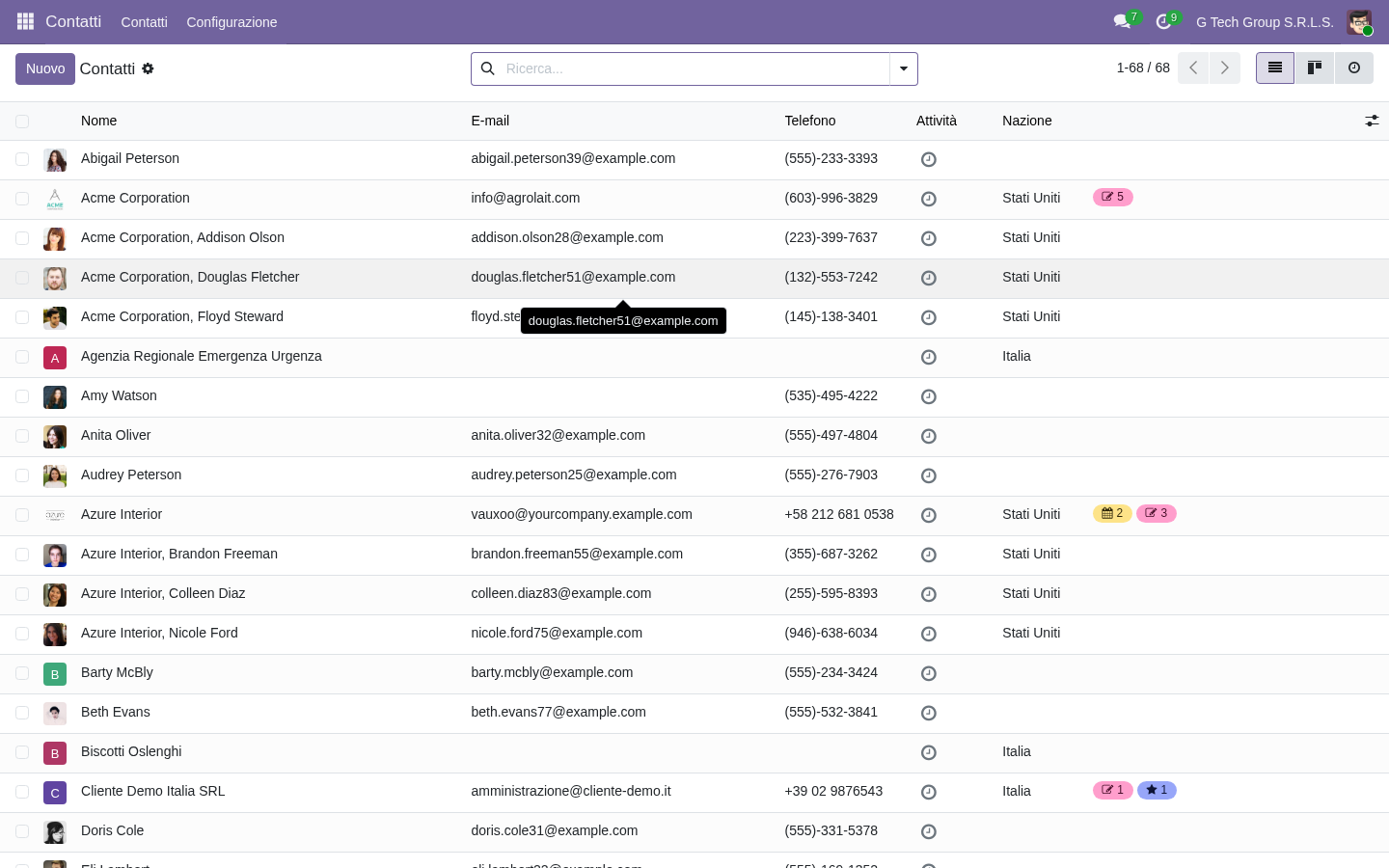
Punto di partenza: lista contatti. Filter avanzati, ricerca rapida, kanban + list view alternative. Da qui drill-down al singolo customer. Modello res.partner unifica company + persone:
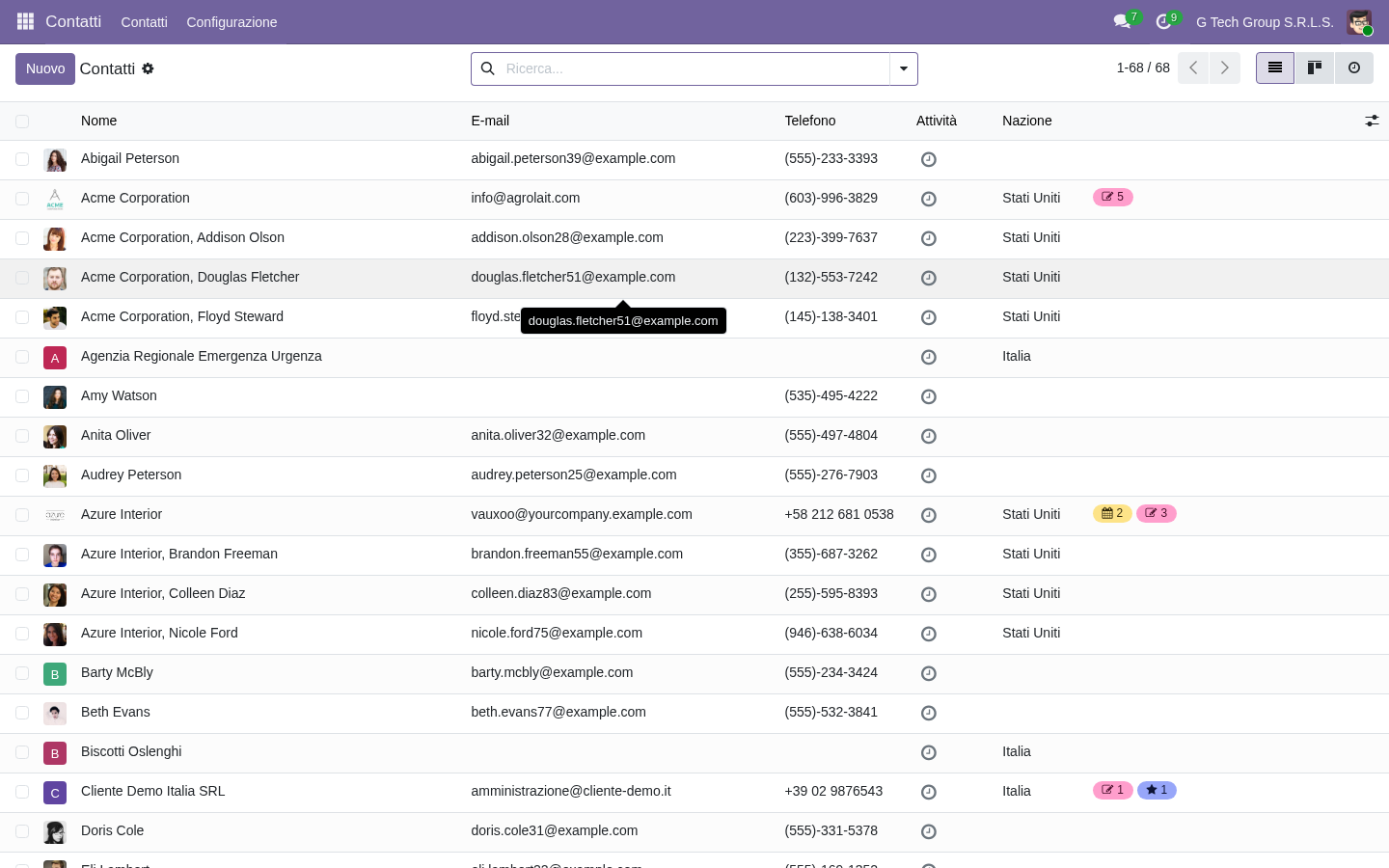
- Search instant per name/email/VAT
- Filter: customers/vendors/company/person
- Group by category/country/tag
- Kanban + List view
- Bulk action per export/email
- Quick info preview
Customer detail completo
Tap customer = page detail completa. Tab navigation: General Info, Contacts & Addresses, Sales & Purchase, Internal Notes, Members. Smart buttons aggregate counts + link related records. Vista unificata true:
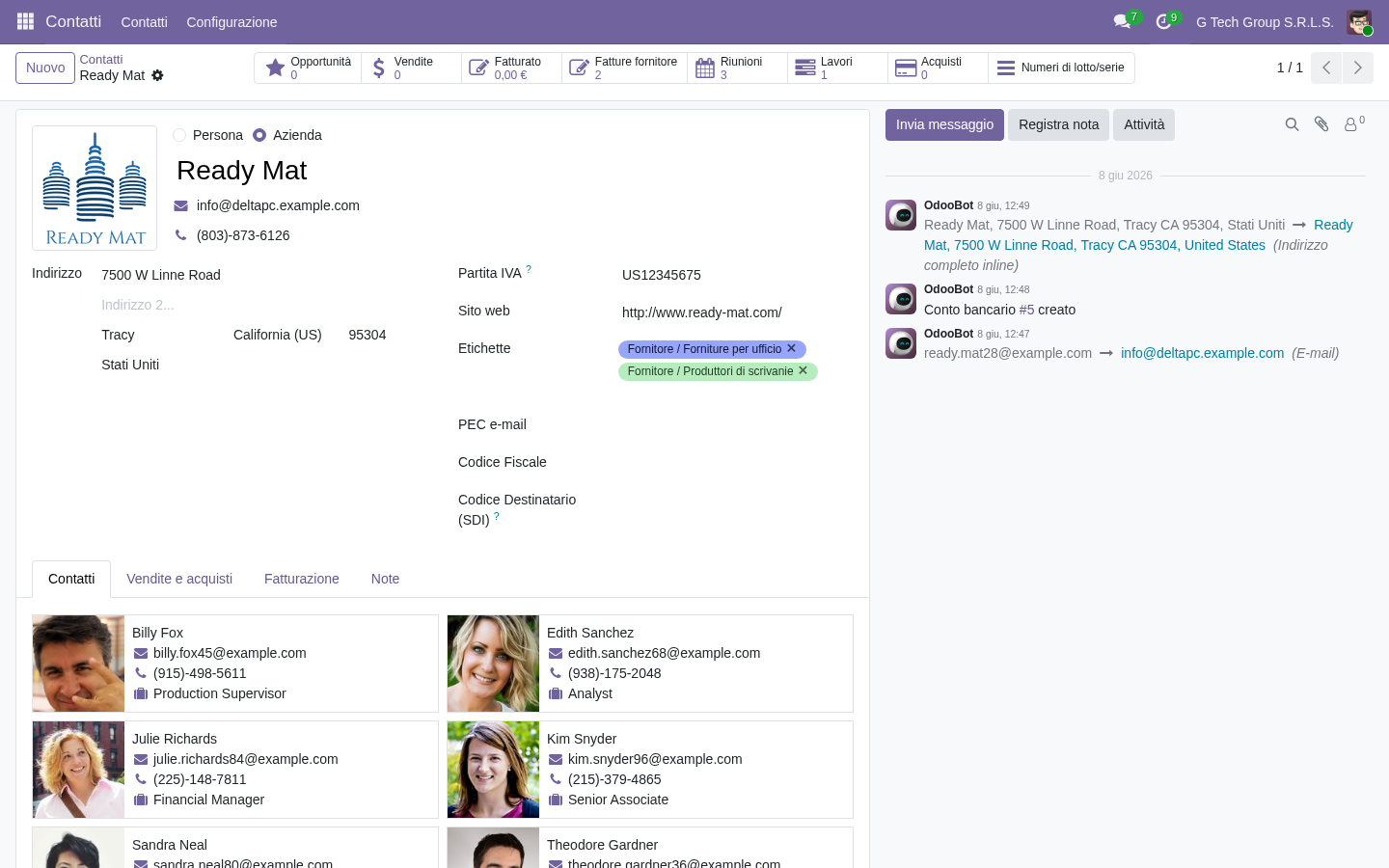
- Anagrafica complete
- Multiple addresses (delivery, invoicing)
- Contact persons multipli
- Sales preferences (pricelist, terms)
- Tags categorization
- Internal notes private
- Smart buttons (Opp, Orders, Invoices, Tickets)
History communication tracking
Chatter sotto customer = full history communications. Email sent/received, internal notes, activities logged, status changes. Sales/support team vede same picture. Continuity preserved nel tempo:
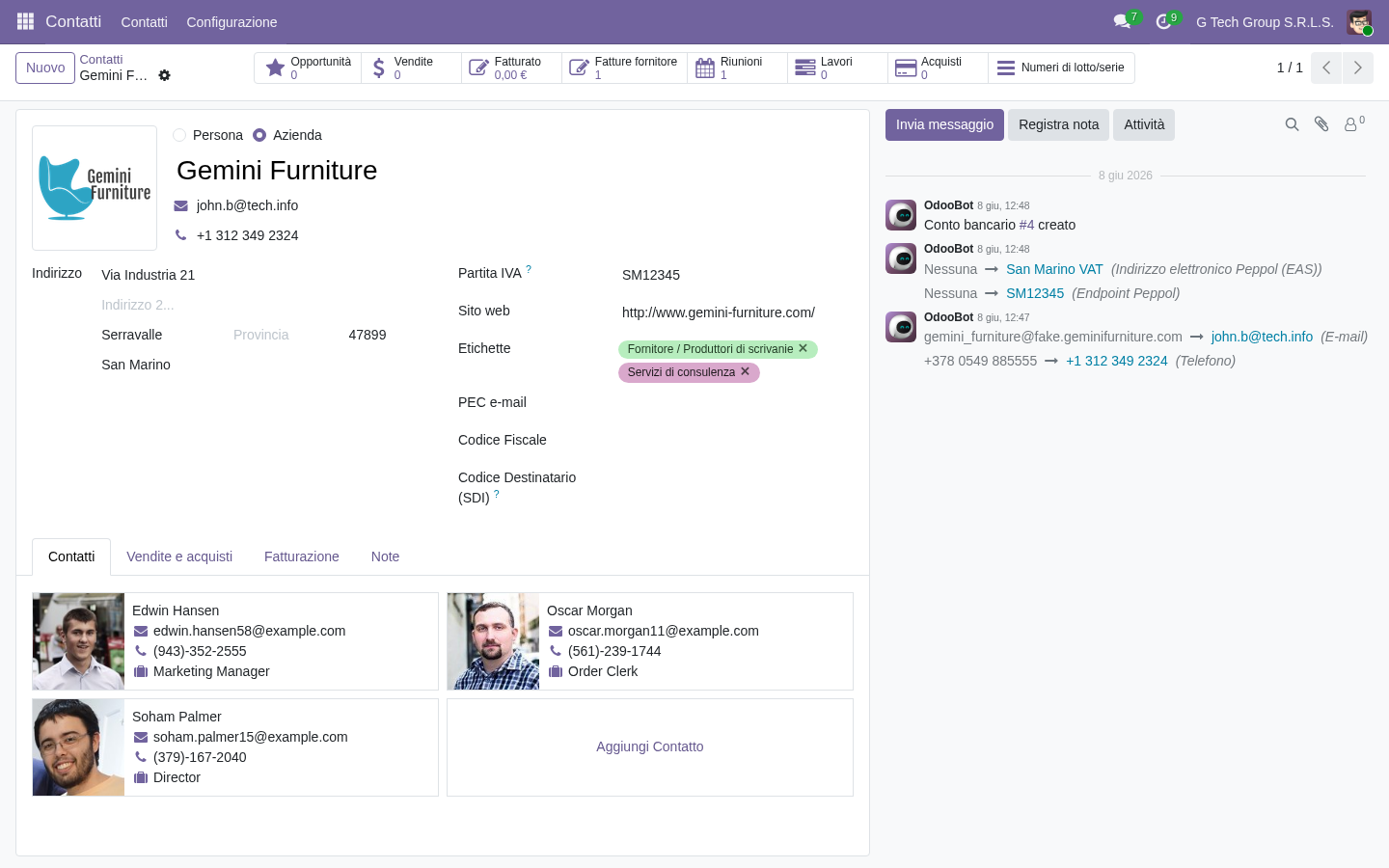
- Email log complete
- Notes internal preserved
- Activities log
- Status change tracking
- Followers visibility
- Mentions @user
- Attachments link
Related records: orders + invoices
Smart buttons in customer page: Orders count + total value, Invoices unpaid/paid, Quotations active. Click → drill-down a list dedicata. Salesperson vede full customer relationship value immediately:
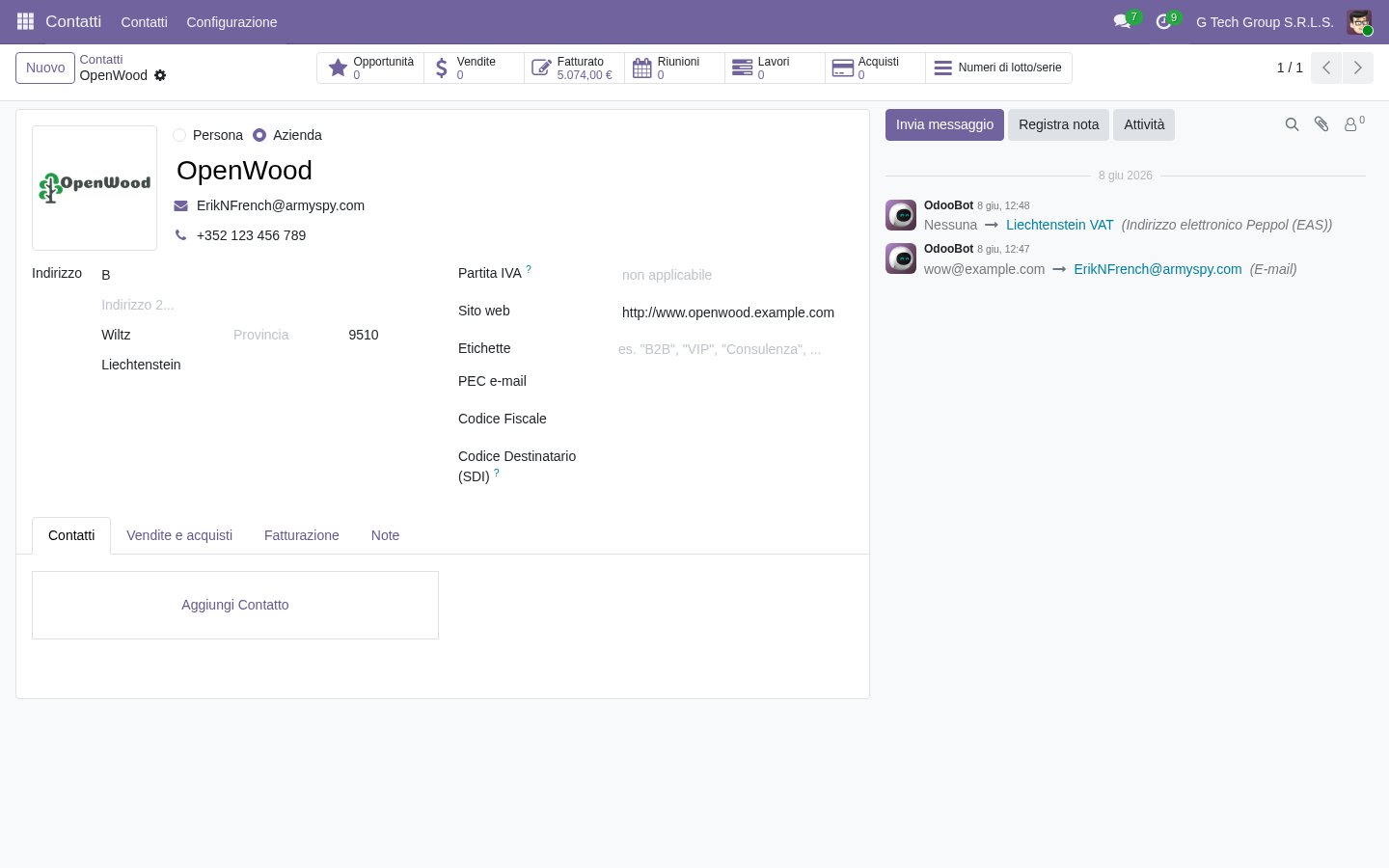
- Sale Orders count + total
- Quotations active
- Invoices paid/unpaid
- Receivables aggregate
- Purchase orders (se vendor)
- Average deal size customer
- Customer lifetime value
Multi-departmental view
Customer 360 unisce dati cross-department: CRM opp, Sales orders, Accounting invoices, Helpdesk tickets, Subscription contracts. Service rep vede sales context, sales vede service issues. Holistic relationship management:
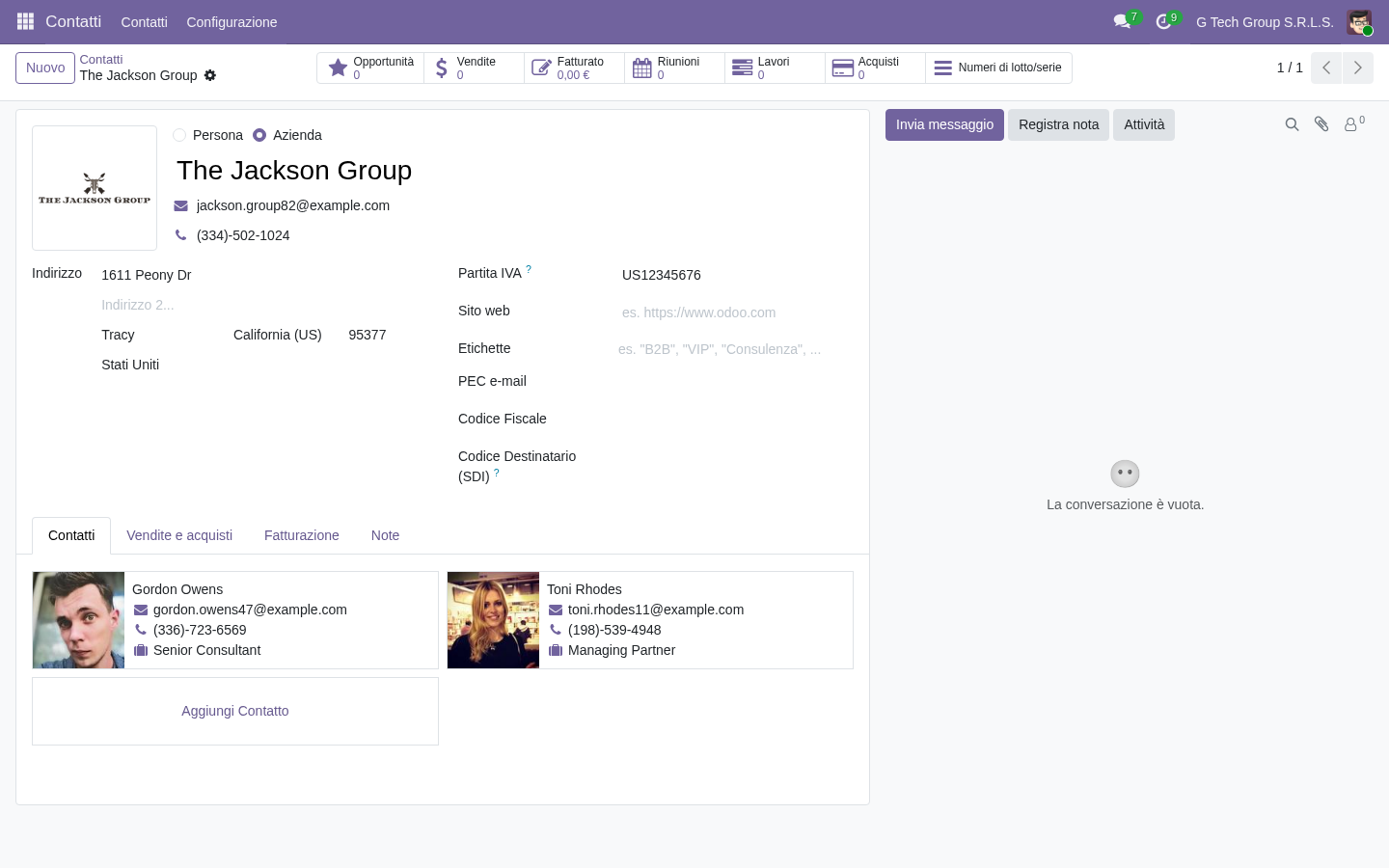
- Opportunities (active + history)
- Sales Orders + value aggregate
- Invoices + outstanding
- Helpdesk tickets (open + closed)
- Subscription contracts
- Marketing campaigns engaged
- Documents linked
Account hierarchy
Parent/child relationship
- Holding company → subsidiaries
- HQ → branches
- Parent organization → divisions
- Visible hierarchy nel detail
Aggregation
- View consolidated parent + children
- Total value group level
- Manage policy parent
- Independent operations children
Use case PMI
- Customer con multiple branches
- Group buying decisions
- Volume discount cross-entity
- Account manager group level
Account-Based Selling (ABS)
Approccio
- Focus su account strategici (non lead volume)
- Multiple stakeholder mapping
- Long-term relationship
- Customized experience
Tool support
- Customer 360 view essential
- Stakeholder mapping field
- Multi-thread strategy
- Champion identification
- Buying committee analysis
Quando usare ABS
- Enterprise B2B
- Long sales cycle
- High deal value
- Strategic accounts limited
- Multi-stakeholder buying
Customer segmentation in 360
Demographic
- Industry vertical
- Company size
- Geography
- Annual revenue
Behavioral
- Order frequency
- Average order value
- Product mix preferred
- Engagement level
Value-based
- Lifetime value tier
- Profitability customer
- Growth potential
- Strategic importance
Tagging system
- Tag flexible per categorization
- Multiple tags allowed
- Filter + report per tag
- Drive targeted action
Customer Lifetime Value (CLV)
Calcolo
- Total revenue customer to-date
- + projected future revenue
- – acquisition cost
- – service cost
Visibility
- Customer 360 mostra CLV current
- Tier classification (Bronze/Silver/Gold/Platinum)
- Drive resource allocation
- Coaching su segment top
Strategic application
- Top customers VIP treatment
- Mid customers nurture upsell
- Bottom customers efficiency focus
- Churn risk early intervention
Customer health score
Componenti
- Engagement level
- Product usage
- Support tickets recent
- Payment punctuality
- NPS score
- Renewal indicators
Score categories
- Green: healthy, expansion opportunity
- Yellow: monitor, intervene if needed
- Red: at risk, urgent attention
Action triggers
- Red: CSM intervention immediate
- Yellow: monthly check-in
- Green: quarterly review + upsell
Errori comuni Customer 360
“Data quality scarsa”
Problema: anagrafica incomplete, history mancante.
Soluzione: data hygiene rules + ongoing cleanup.
“Duplicate records”
Problema: stesso customer in 5 record diversi.
Soluzione: de-duplication tool + matching rules.
“No cross-department training”
Problema: service team non usa CRM, sales non vede tickets.
Soluzione: training cross-functional + KPI usage.
“Tag chaos”
Problema: 100+ tag senza governance.
Soluzione: tag library curato + approval new.
“Account hierarchy ignored”
Problema: parent/child setup non, missed group decisions.
Soluzione: hierarchy mapping strategic accounts.
Casi pratici PMI italiane
Caso 1 — Software: ABS strategy
- 50 strategic accounts identified
- Customer 360 view per ognuno
- Account manager dedicated
- Expansion revenue +45%
Caso 2 — Manifattura B2B: CLV-driven
- Customer tier (Platinum/Gold/Silver)
- Service level per tier
- Top 20% = 80% revenue
- Profitability per customer tracked
Caso 3 — Servizi: health score
- Customer health monitored monthly
- CSM intervention red accounts
- Churn -35% in 12 mesi
- Retention +18 points
Caso 4 — Distribuzione: hierarchy
- Chain customers (HQ + branches)
- Group account manager
- Volume contract centralizzato
- Order autonomy local
FAQ
Customer 360 quanto data preserva?
Tutto storico mantenuto by default. Configurable archive policy. GDPR-compliant deletion processes.
Cross-team view trasparente?
Configurable per role. Sales vede service tickets summary, no detail private. Privacy preserved.
Posso esportare customer 360 data?
Sì, multi-format. Compliance GDPR rispettata. Customer request data → export auto.
Account hierarchy quanto livelli?
Unlimited depth tecnico. Practical: 3-5 livelli max. Visualization complex sopra.
CLV calculation accurate?
Solo se data complete. Rich history needed. Improvement over time data quality.
Prossimi passi
Nell’ultima guida (15/15 serie CRM) vedremo CRM integrations: telephony VoIP, marketing automation, BI tools, accounting flow, recap della serie.
Vuoi Customer 360 nella tua PMI?
G Tech Group implementa Customer 360 CRM Odoo per PMI italiane: data hygiene, account hierarchy, CLV calculation, health score, account-based selling. Track record di expansion revenue +30-45% post-implementation.
Richiedi un preventivo gratuito oppure prova la nostra demo Odoo 19 live. Oppure prova Odoo direttamente su odoo.com (link partner Brentasoft).
Vuoi una soluzione su misura per la tua azienda?
Brentasoft sviluppa gestionali, CRM e software personalizzati per PMI italiane. Parliamo del tuo progetto.